Contents
We started using this app, and my daughter learned to read an analog clock in about four days. I wrote that part up earlier.
A while later, she started forgetting.
”What time is it?” stopped getting a quick answer
Right after she learned, the answer came back the moment I asked. Lately there’s a pause between looking up at the clock and answering. Times like 8:45 — still the eight o’clock hour, not nine — have started to give her a little more trouble than they used to.
She hasn’t stopped reading clocks. But this is clearly not the reading she had at her best.
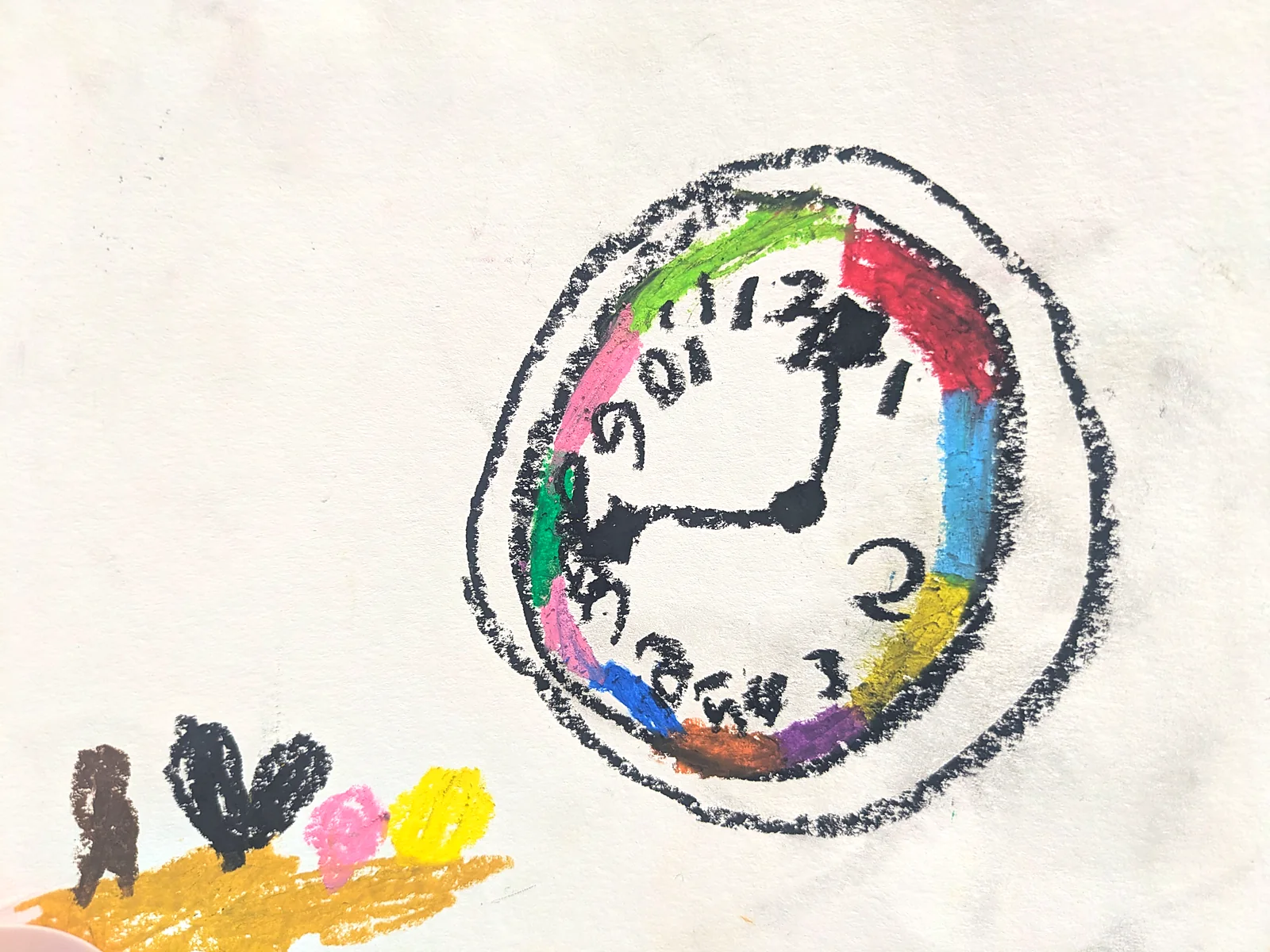
She still likes the clock itself. At her drawing class she said she would draw a clock, or so I heard, and she drew it looking at a photo. That is the drawing in the image at the top of this article.
What you learn fades when you stop using it
Obvious, in hindsight.
While she was learning, we looked at the app almost every day, looked at the clock on the wall, and checked what time it was. Then reading became a given and we stopped asking. Our days changed too, and the moments that involved looking at a clock simply got fewer.
Less “she forgot” and more “she stopped using it,” I think. Learning to read a clock isn’t the finish line — there’s a part that comes after it, and I noticed late.
Learning fast also means forgetting fast
I was plainly pleased that it had taken four days. But something that arrives in four days may only be sitting on four days of foundation. What comes fast fades fast. In our case, I think that’s what happened.
In the teaching guide I wrote a tip called “Don’t push,” and in it, that a rushing grown-up is usually the longer route. And still, the one who treated the day she could read as a finish line was me. “Don’t rush” turns out not to be only about the time before a child can read.
More clocks in the house
The first thing I did was raise the number of times a clock crosses her field of view.
Looking around, the only room with a clock was the living room. My daughter’s room had none at all. Before reading or not reading, there was no occasion to look.
So I handed her the 9 cm clock that had been standing next to my desk — a hundred-yen-shop clock I had rebuilt with a Futatoki face. I liked having it there, but it lives by her bed now. And I put a clock in her room as well.
A clock with a swapped face costs almost nothing to add: the clock itself comes from a hundred-yen shop, and the movement and the hands stay as they are. The faces come from the page where I share them, sized to the clock you already own.
Not missing the moments to show the app
The other thing was the app.
Once she could read, I had stopped putting the screen in front of her too. These days I show it before we leave the house, and at the moment we turn the TV off before bed. Timewatch mode, which draws the remaining time as a wedge, fits both of those as-is.
She is touching the app a little more often again as a result. Whether it does anything, I don’t know yet. I’ll keep it up for a while and write again.
”I want a wristwatch”
While I was adding clocks, she told me she wants a wristwatch.
Wanting a clock that belongs to her is a different motive from mine, which was putting more of them on the walls.
So I have started wondering about a wristwatch version of Futatoki. The inside of a wristwatch looks precise, though. I doubt it is a matter of swapping the face, the way a wall clock is. One for later.
A sequel to the day she could read
I had written up the day she learned to read a clock, but nowhere had I written about the day she started forgetting. It is the less exciting half, but for someone who arrives at the same place later, it may be the more useful one.
What we are doing is adding clocks and showing the screen. Nothing special.
The clock faces are free
The faces for adding clocks around the house are a free download from the page where I share them. Enter the outer size and bezel width of your clock and it generates the PDF at that size, on the spot. No sign-up, commercial use OK, no credit required.
The screen is there right now
You can see the AM and PM faces side by side in Futatoki the Learning Clock App. No install, no sign-up, free.