Contents
Search for “DIY learning clock” and you’ll find example after example built from scratch out of cardboard. I started somewhere else: I couldn’t find a store-bought learning clock that felt right, so I ended up building my own — Futatoki the Learning Clock App.
After we’d used it for a while, my five-year-old daughter could read the clock in about four days. When I asked her exactly how she was doing it, she said, “I can read the Futatoki one.” She was reading real clocks the way she read the app’s face. So — I figured I’d make that same face into a physical clock and let her practice on it for a while. That’s how I ended up making a real DIY clock.
(Those four days have a sequel: a while later, she started forgetting how to read a clock.)
Finishing a clock from scratch — one good enough to read every day — is hard work. But it turns out that all it takes is printing a clear, easy-to-read face and swapping it onto a store-bought clock to make a DIY learning clock for your child. I did mine with a cheap clock from IKEA — basically a tiny IKEA clock hack.
Three ways to make a DIY learning clock
- Draw one from scratch on paper — total freedom, but getting the hands and tick marks to come out clean takes real patience.
- Assemble a store-bought kit — reliable, but you usually can’t choose the face design.
- Print a face and swap it in — little effort, and the readability stays consistent. Easily the simplest.
An easy IKEA clock hack: the TROMMA
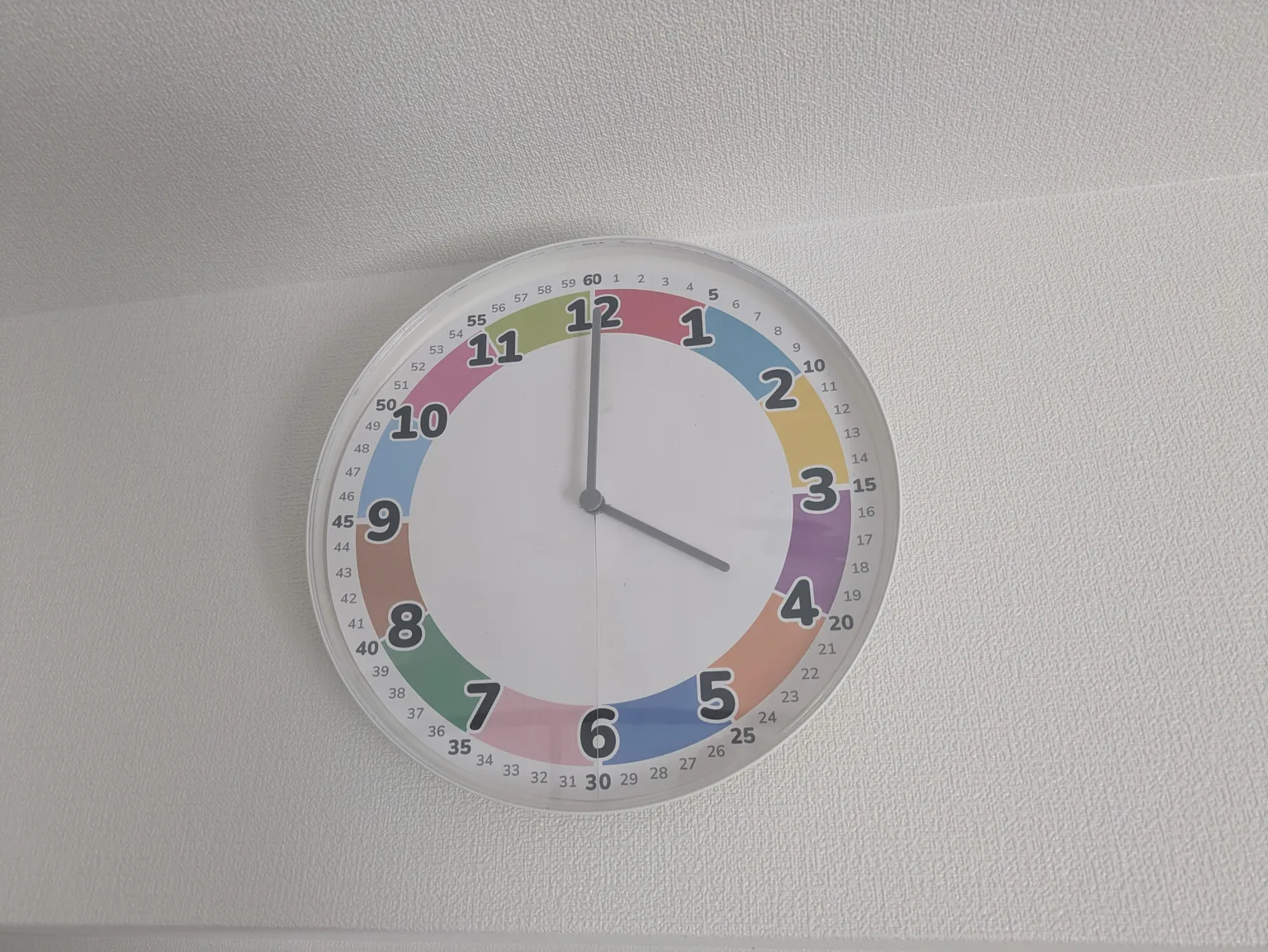
The real clock I picked was a wall clock called the TROMMA, from IKEA. If you’ve been searching for an “IKEA clock hack” to do with your kids, I think this one is a strong fit.
- It’s cheap, plain and simple. Mess it up and you’ve lost almost nothing.
- The rim is thin and the whole thing is so plain it almost feels built to be customized — just right for swapping the face.
- The clear cover is plastic, not real glass, so it’s light and feels safe enough to hang where little hands can reach.
When I actually fit the printed face in, the inner edge curves gently inward, and a little margin hides underneath it. Because of that, even if your scissor cuts are a bit rough, you can tape the edge down along that margin and none of it shows. The result came out remarkably clean — genuinely easy, even for someone as clumsy as me. That was an unexpected bonus.
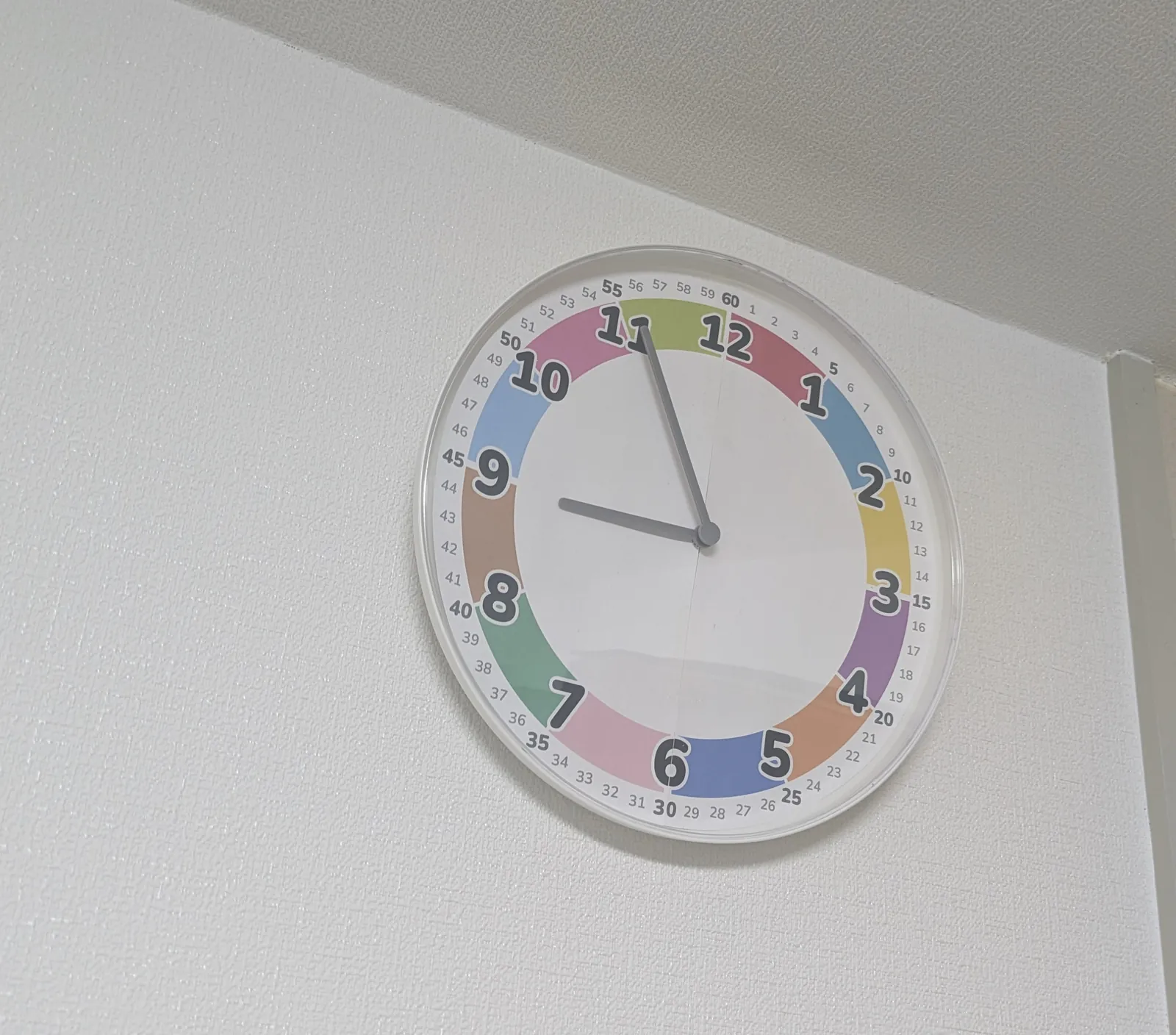
One thing to watch for. To swap the face you have to take the clear cover off first, and you do that from the back with a flat-head screwdriver. It takes a bit of a knack, so I’m planning to write up how to remove it in a separate article.
If you’re going to do it anyway, you might buy two TROMMAs and set them side by side — the way the Futatoki app does, with morning and afternoon laid out left and right. Morning on the left, afternoon on the right. Even up on the wall, the “two times of day” sit next to each other.
Download a face, size it, and stick it on
Where I tripped up was this: every clock wants a different face size. An IKEA clock and a dollar-store clock have different diameters, and a face printed straight onto A4 comes out too big or too small. Redoing the scaling a millimeter at a time was quietly tedious.
So I made it possible to type in the face’s outer diameter and export a face that fits that exact clock. I built it for myself, but other people are probably stuck at the same spot, so I’ve put it on the downloads page.
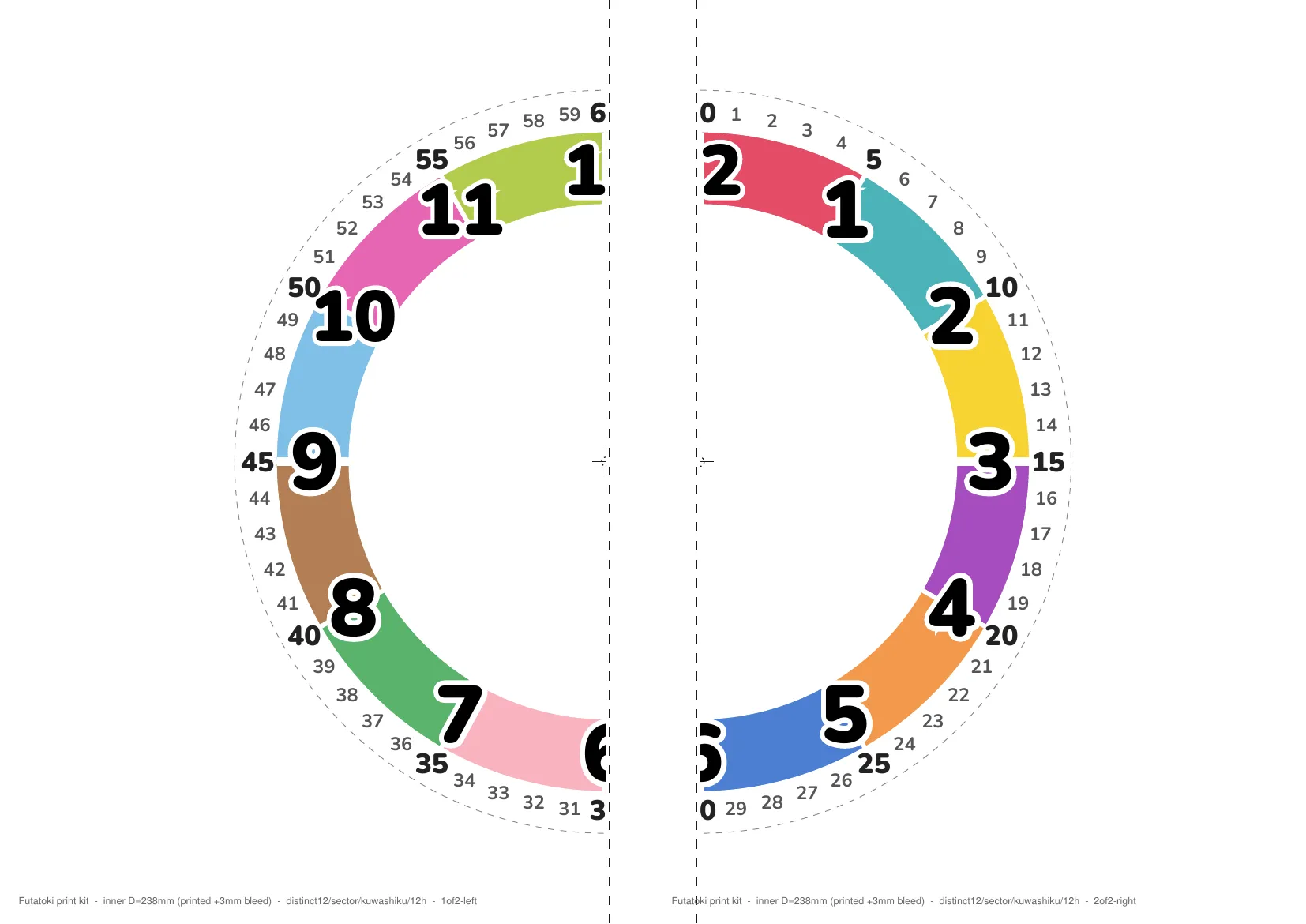
The clear, color-coded faces are free to download. Besides the A4-print version, there’s a custom one sized to your own clock’s outer diameter. No sign-up, commercial use OK, no credit required. If you came here searching for a printable learning clock to download, this is the fastest place to start.
Try out which face fits, in the app
Numbers from 1 to 12 only, or the minute ticks too; split by color or not. With Futatoki the Learning Clock App, you can switch how it looks right there in the browser. Show it to your child, pick the form that’s easiest for them to read, then print — no missteps. No install, no sign-up, free.