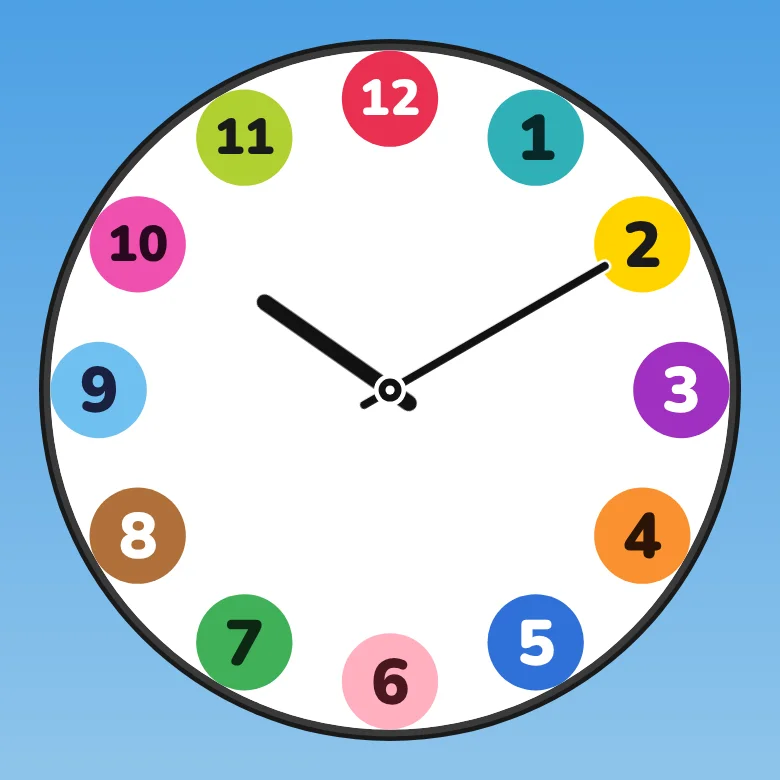
STEP 01
circles × simple
Start rough.
Just the badges on the face, no minute marks — the simplest setup. Notice which badge the hand is closest to, and you've got roughly the hour.
Learn to tell time with Futatoki / free, no sign-up
To a child, an analog clock is a mysterious shape-shifting thing. Set two perfectly ordinary clocks side by side, and the half each one keeps hidden comes out where a child can finally see it — that's the thinking woven into every choice in this app.
Children who haven't grown up around analog clocks often haven't seen the hands move at all. Auto spin runs a full day in roughly 24 seconds — fast enough that the motion finally lands in a child's eye.
Auto spin mode runs a whole day in about 24 seconds. Behind the dial, sun and moon rise and set across the sky. The clock that looked frozen has been turning the whole time — this is what time, the invisible thing, looks like once you can actually see it.
On the same face, the two hands run at different speeds. Even when it looks like a game of chase, each one's pace stays the same, always. They never speed up on a whim, or stop short out of nowhere. There's a "fast and slow" between them, yet the pace itself never wavers — and that rhythm, more than any words, is what we hope a child comes to feel from the movement of the hands.
To a child, the fact that the same '8 o'clock' shows up twice in one day is a small, real mystery. By placing AM and PM side by side and showing both at once, Futatoki the Learning Clock App makes it visible at a glance: one AM and one PM, just once each, every day.
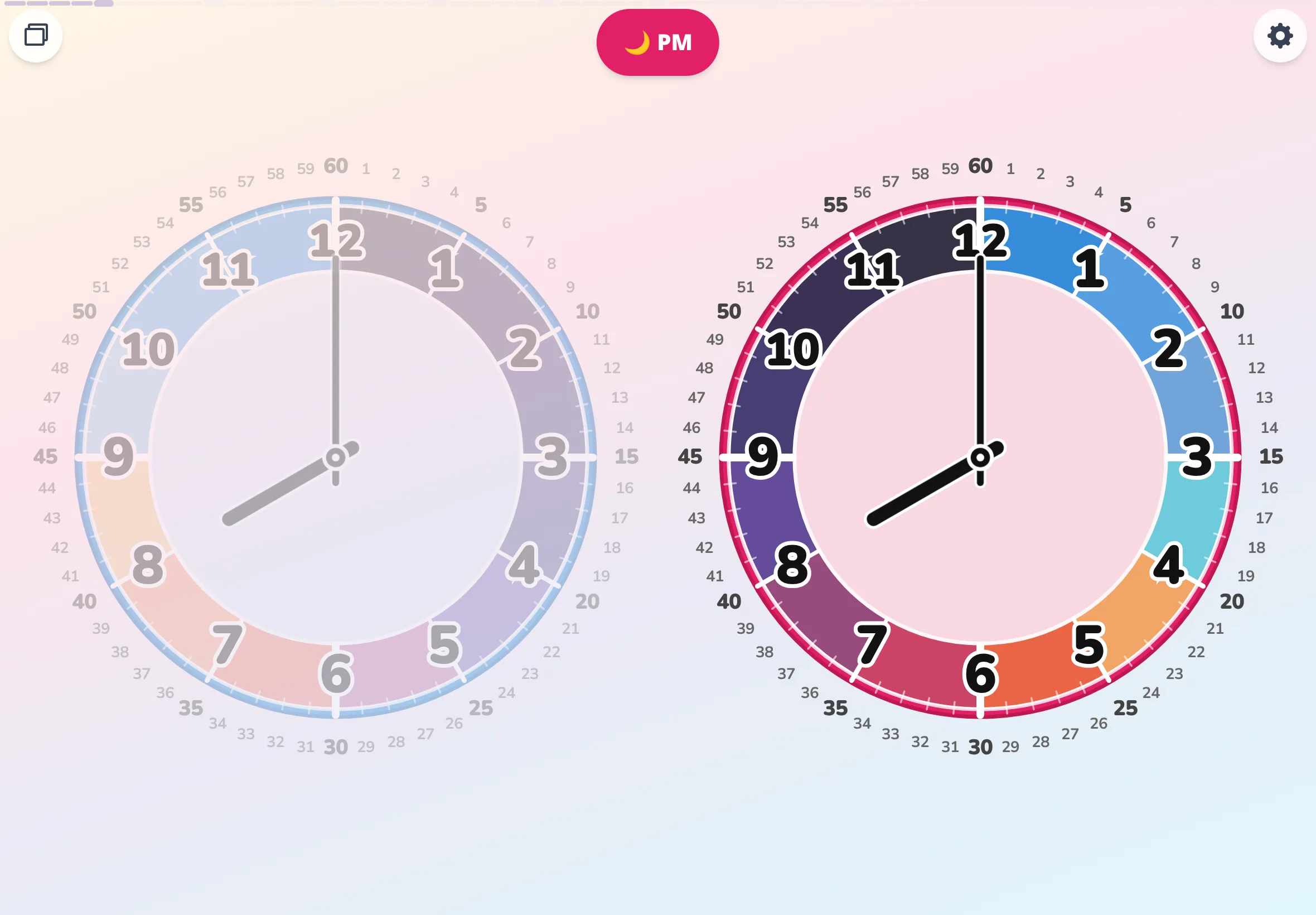
A clock is really two halves of a day, folded into one. Morning and afternoon — normally stacked onto a single face, with only one of them ever showing through. Futatoki the Learning Clock App gently pulls the two apart and lays them side by side. In free spin mode, "stack / split" folds the two faces back into one, or pops them open into two — the shape of a clock, demonstrated by your own hand. Long-press an AM or PM badge and the hidden face peeks through, just for a moment.
Watch one clock alone, and the hands are simply "somewhere else every time you look." Watch the pair, and it's hard to miss that the AM face and the PM face always wear the same face. Behind what looked random, there's a rule — we hope this is where that noticing begins. Read the full reflection →
"The short one points to what's close. The long one stretches out far." — this, we thought, is the simplest way to put it for a child. Futatoki the Learning Clock App places the minute marks on the outside and the hour numbers on the inside. To make each hand's job easier to spot, the face is built to add or strip away information layer by layer.
There are no age-locked buttons. For a child ready for more, add more. For one who isn't, circles alone are plenty. Add information, then let it go again — find the version of the clock that fits this child, at this child's pace. When the clock won't read →
Start rough.
Just the badges on the face, no minute marks — the simplest setup. Notice which badge the hand is closest to, and you've got roughly the hour.
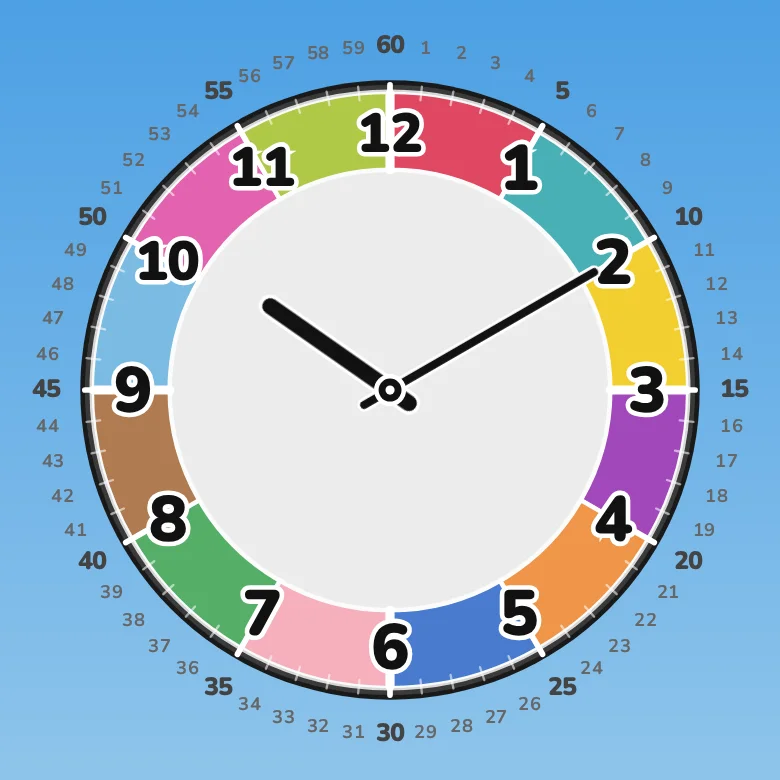
Minutes, for real.
The numbers 1 through 60 line up around the rim. The two hands' jobs come into focus — this is where reading a clock really begins.
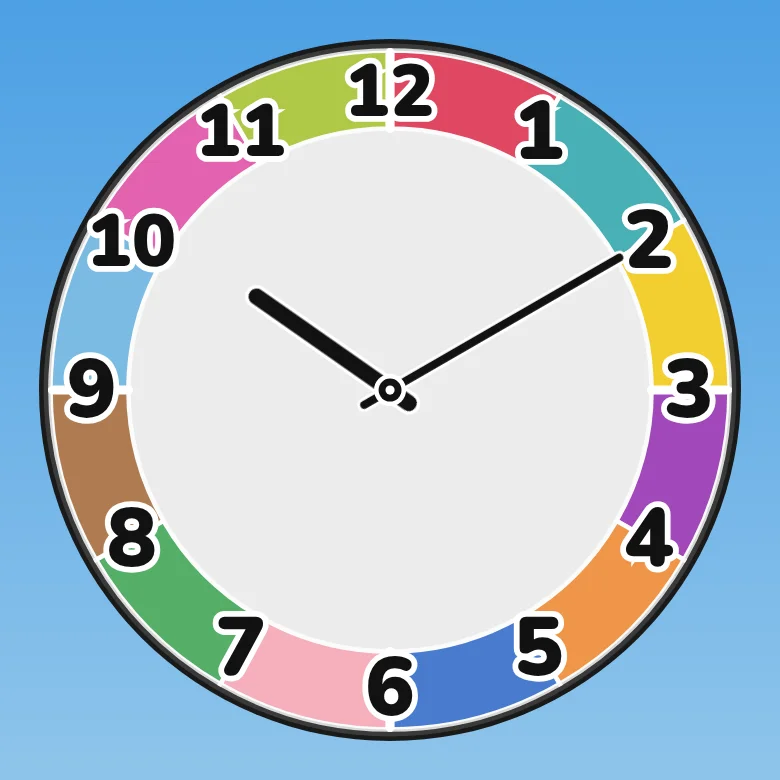
Read it without the minute numbers.
The final stage. Even with the minute numbers gone, the hands' positions alone carry the time. This is what really reading a clock looks like.
Age hints and sample lines, all in the guide.
Small fingers can't always land on the hands. Free spin lets a child touch anywhere on the screen and turn the clock — no aim required.
In free spin mode, the hands aren't a target. Touch and drag anywhere on the screen and the dial turns. Even a small finger moves time exactly as far as it wants to.
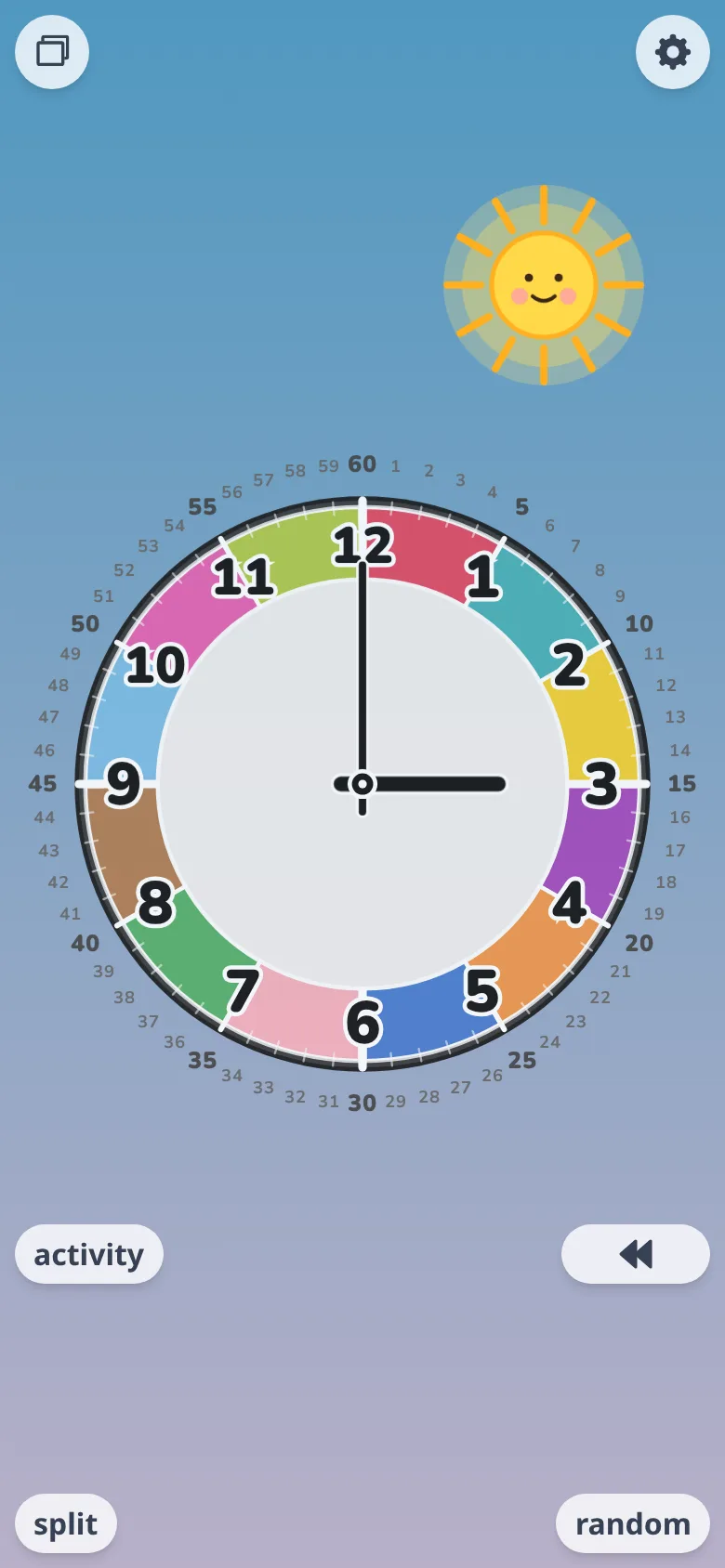
One-handed, even on a phone.
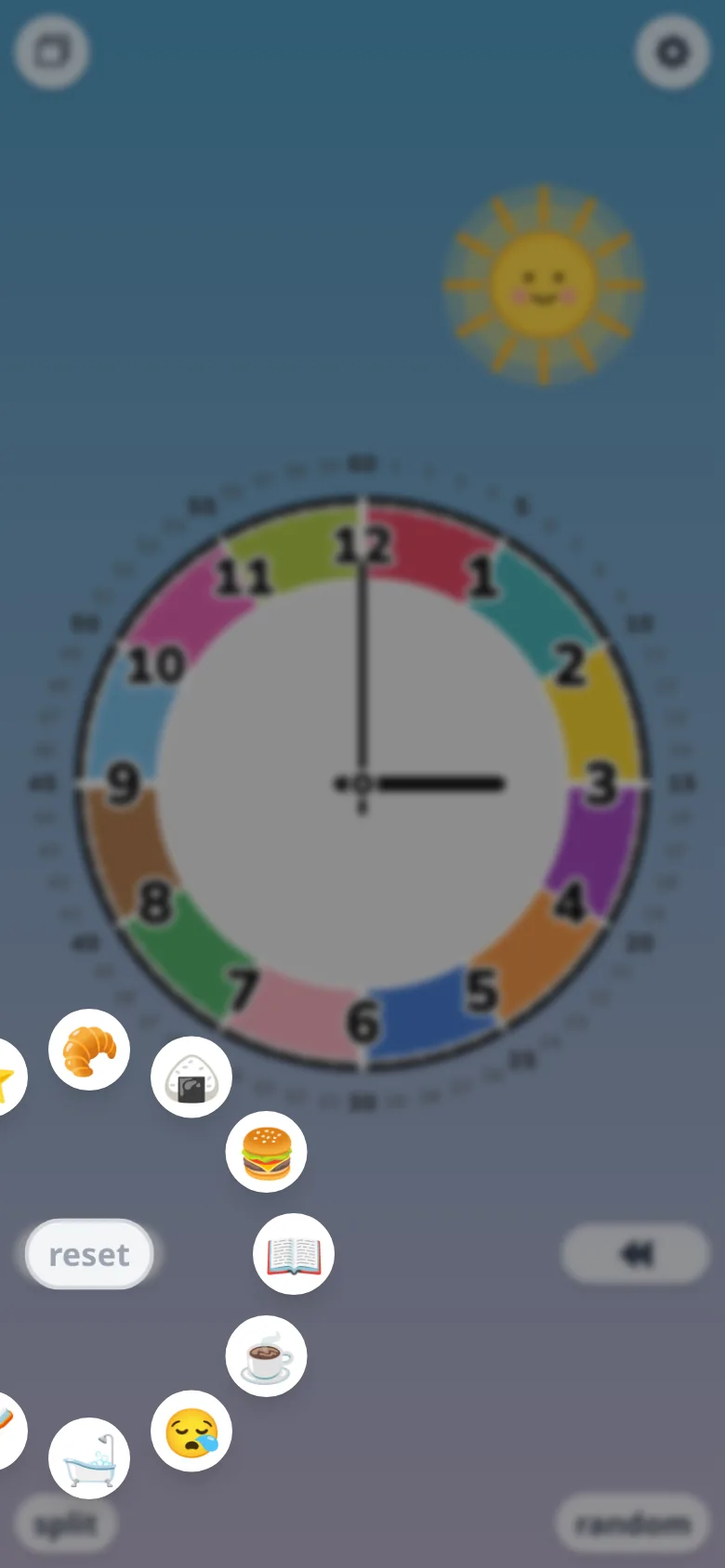
Drop a little plan, wherever you land.
Skip the hands. Move a finger across the screen and the whole dial follows.
Land on a time, drop a little plan — breakfast, bath time, bed. The shape of a day lays itself out across the dial.
In auto spin and free spin alike, the hands only turn clockwise. Try to wind them back, and they simply won't go. Plenty of learning clocks let kids spin the hands either way — Futatoki the Learning Clock App locks them to clockwise on purpose. The pattern of an analog clock should be learned in one direction, from the very first day.
* For fine adjustments, the "back 1 min ()" button is there.
Color is a helper line, drawn in to keep the hour boundaries apart. The same way a helper line in math gets erased once the proof is done, the color gets outgrown once a child can tell time on their own. Six gentle palettes to choose from.
A helper line is meant to be erased one day. But until that day, the boundaries can quietly do another job. "Snack time, four boundaries from now." "We leave when the hand reaches the blue part." Even a child who can't yet tell time can use the color boundaries as a way of counting time. Don't ask them to memorize what each color means — hand the colors over as helper lines for counting.
All 12 hours in distinct colors. The default — adjacent hours stand cleanly apart.
* The palette the app opens with by default.
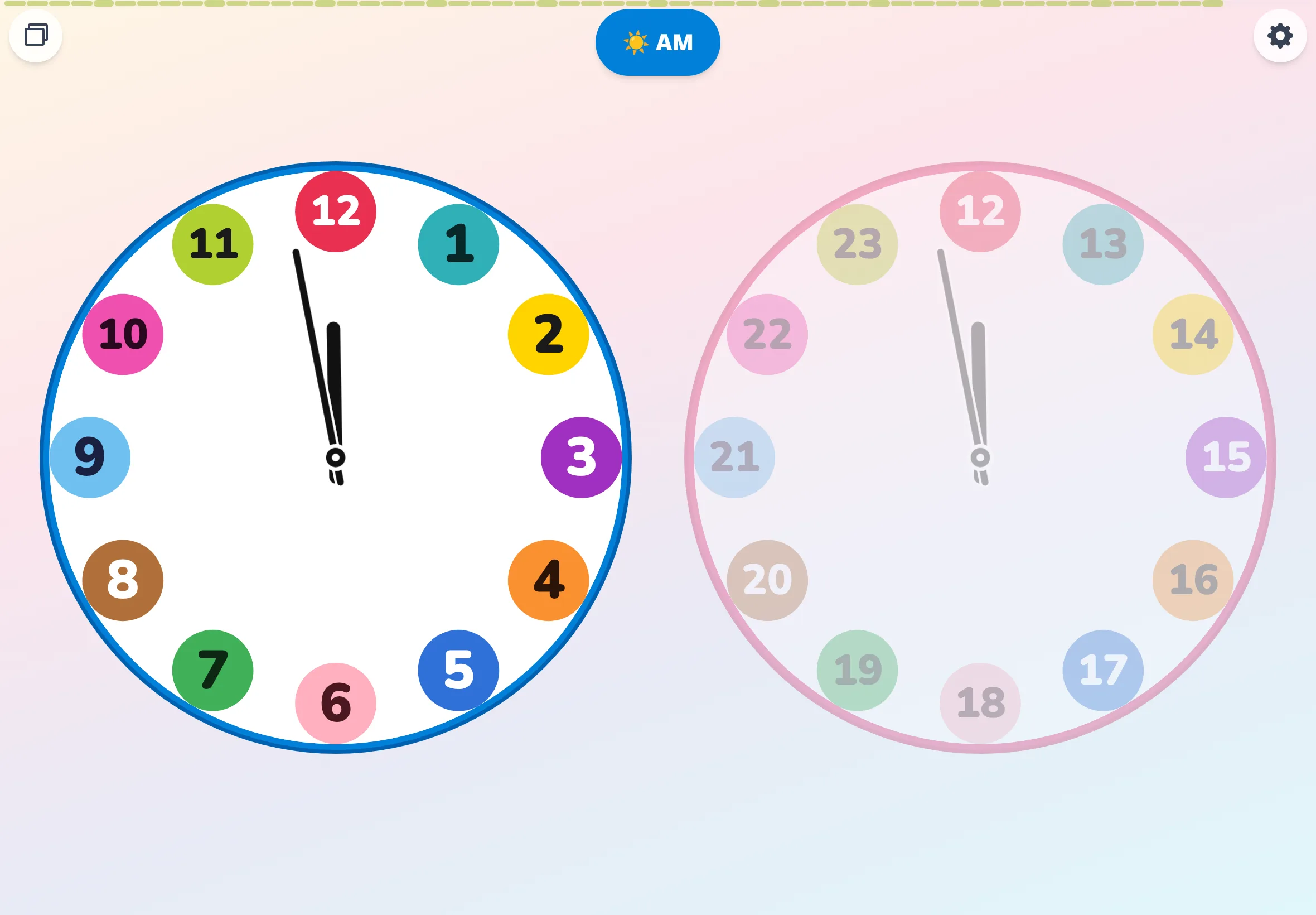
Most 24-hour clocks renumber their dial from 0. The moment they do, they stop being analog clocks and turn into something else. Futatoki the Learning Clock App keeps 12 fixed at the top and runs the PM side from 13 to 23 — every hour of the day fits, without the analog clock losing its shape.
The default is the 24-hour face. A 12-hour face is there in the settings if you want it. Neither 0 nor 24 appears on the dial — only 12 holds its place, giving it a quietly unusual look. The PM face lays out 13, 14, 15 … all the way to 23, in plain large print. Morning or evening, 12 sits at the top. AM and PM swap places exactly there — a single anchor at the middle of the day, the one number that never moves.
Not just a tool for learning to tell time — a tool for daily life. Leave traces of what's already been done, or set little markers for what's coming next.
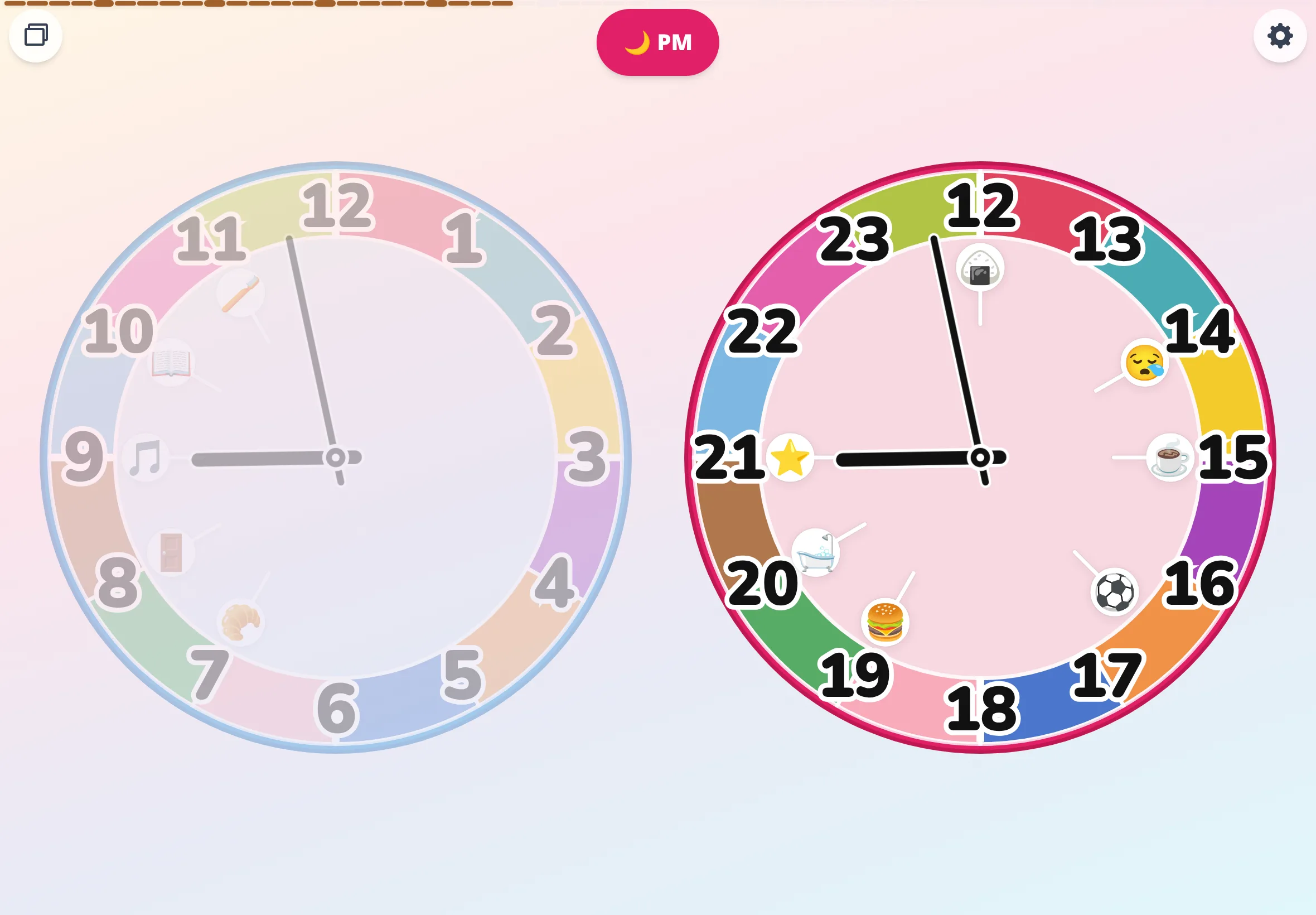
From the "activity" menu, pick an icon — breakfast, bath, sleep — and drop it onto any time around the dial. Drop it the moment it's done — a stamp for a wrapped-up activity. Drop it ahead of time — a stamp for an upcoming activity. When the hand reaches a planned time, it gives a soft little bounce.
Breakfast — a stamp. Bath — a stamp. By the end of the day, today's little footprints sit lined up across the dial. A way of stacking "already done" right onto the clock.
Drop bedtime onto the dial ahead of time. As the hand approaches, the icon starts hopping — softly, on its own. Suddenly the kids are the ones checking the clock: "how many minutes left?"
Placing "already done" turns into the small act of marking — together — where the hand stood when one thing ended. Placing "still to come" turns into the small act of waiting — together — for the hand to reach the start of the next. What this app wants to show isn't only the moving hands. It's the clock standing at every quiet turn of the day — present, with you, for each small pivot.
There are a handful of choices Futatoki the Learning Clock App has deliberately chosen not to make. Here's a summary of those decisions and the thinking behind them.
Add it to a home screenⓘ for full-screen, offline use. Android, iPhone, desktop — wherever you already are, day to day.
Sideways, AM and PM sit left and right. Upright, they sit top and bottom. Phone, tablet, desktop — the layout reads the screen and adjusts itself.
Settings live on the device, full stop. No account, no ads, no tracking that identifies individual users. Even Google Fonts have been pulled out of the code.
For the rendering layer, we picked lightweight SolidJS over React or Flutter. Graphics are SVG. To stop unnecessary redraws while the hands move, we built our own tiny library, chronostasis, and embedded it. No need to buy a new device — give that tablet sleeping in a drawer a second life as a wall clock.
The source is open on GitHub.
"When the hand hits the blue part, we head out" — say it the night before, repeat it in the morning. Free spin lets you count down together: "two color boundaries to go."
Switch on the sky-colors palette and the dial wears today's sky. "When the sky goes dark, it's teeth-brushing time" becomes something the eyes catch on their own.
Tap the screen while auto spin is running and the hands stop right there. Whatever they landed on becomes the question — read it together: "so, what time is it?"
A few answers, in advance, to questions parents tend to ask about Futatoki the Learning Clock App.
Honest answer: so far, it's been tried with exactly one child — the author's own (N=1). So we can't quite generalize.
For what it's worth, here's that one case. The child was 5. They could already read a digital clock, but at preschool the other kids could read and write analog times, while they couldn't, and they'd been quietly down about it for a while. About four days in, the clock on Futatoki had clicked for them — not on a real wall clock yet, but on the one in the app. They seem to have already forgotten they were ever upset. The pace was fast enough that we half wondered whether they'd secretly known all along.
From that one case, our best guess: a child who already understands time from a digital clock, but hasn't yet seen how an analog one actually works, may pick this up quickly. We can't promise — it really is just one child.
All we can really say right now is: try it whenever the clock starts catching your child's interest. The amount of information on the dial is tunable, so if it doesn't fit, change the layout to suit your child.
Futatoki the Learning Clock App is built as a doorway for parent-and-child conversation. The path we suggest takes three steps: "circles × simple" to get used to a clock simply being there → "slices × detailed" to meet the structure of minutes → "slices × simple" to read the time without minute numbers at all. The full walkthrough, with sample dialogue, lives in the teaching guide.
Completely free. No sign-up, no in-app purchases, no ads, no individual tracking. Open it in a browser, and there it is.
No — it isn't on the app stores. Futatoki the Learning Clock App is a web app that runs inside your browser. There's no store in between; it's ready the moment you open the URL. Searching the stores won't turn it up, but that's only because it lives somewhere else: the way in is to open play.futatoki.app.
Add it to your home screen and it launches full-screen from its icon, and works offline too. No download, no installer, no account — and no trip to a store for updates.
This started as a learning clock I made for my own kid. They picked it up much faster than I expected, so I figured I'd share it with anyone who could use it. The futatoki.app domain costs a little to keep running — but I don't mind.
Use it freely — commercial or non-commercial, with no attribution required. Classroom projection, inclusion in handouts, mentions on blogs or social media, sharing the URL/QR code with parents, use in teacher training — none of these require prior permission.
Yes. Once it's added to the home screen, it launches and runs offline. Even in a car with no Wi-Fi or signal, it still tells the time.
Yes — open it in a browser and it runs. In "free spin mode," you don't have to aim at the hands; touch and drag from anywhere on the screen and the dial turns. Same on PCs, tablets, and phones. (Free spin mode automatically returns to the clock view after three minutes of inactivity.)
Anything with a recent browser (Chrome, Safari, Edge, and the like) — phones, tablets, desktop. If you have a tablet that's no longer in active use, adding it to the home screen, launching it full-screen, and propping it up makes a quiet little wall clock.
AM and PM placed side by side, so the morning/evening conversion is visible at a glance. Hands you can move by dragging anywhere on the screen. "stack / split" to switch between the everyday folded shape and the two-faced inside view. Hourly colors that pull the boundaries apart. Things that would be hard on a real clock — kinds of expressions only an app can offer.
There is no dedicated quiz mode, but there are two ways to play one. In "auto spin mode," tap the screen whenever you like and the hands stop right there — the time they landed on is the question. In "free spin mode," the hands turn wherever you drag on the screen, so spin fast, let go, and guess the time where it stopped. Neither needs questions prepared in advance, and the parent can take the answering seat too.
No.
This is on purpose. "stack / split" exists so that operating the clock teaches you how it actually works — there's no steady-state mode that simply sits with one face stacked in the middle, the way a regular clock would.
If it's the parent who wants that view: sorry. Please bear with us.
If it's the child who wants that view: that's the moment to graduate from this app. Futatoki the Learning Clock App was made as a companion up to the point a child can tell time. Once they can, the clock on the wall outside, the wristwatch on their arm, all the other clock apps — they're already waiting.
Learn to tell time with Futatoki — free, nothing to install. Open it in a browser and, from today, you have an analog clock that actually moves under your child's fingers.